
Elevating Offline Meetings with Meeting.ai: An AI Note-Taker Revamp
Meeting.ai originally launched as an AI-powered Zoom note-taker. But as hybrid work grew, people returned to offline and mixed settings, coffee shop chats, classroom lectures, team huddles.
The original experience didn’t translate. It needed rethinking, not just refining.

Disclaimer: This is a high-level project overview. For the full case study or more details, feel free to reach out at olehabib98@gmail.com.
Key Challenges
Meeting.ai was built for structured video calls. But offline meetings are messier, faster, and harder to predict. Users wanted a note-taking assistant that could adapt without slowing them down or compromising trust.
- 01
How can we make the app feel intuitive and engaging for offline meetings?
- 02
How can we ensure users feel their sensitive discussions are secure?
- 03
How can we optimize the app for both small and large group meetings?
Design Process
- 01Understand Brief
- 02Competitive Benchmarking
- 03Collaborative Discovery with Product Owner
- 04Designing and Proposing Solutions
- 05Design Validation & Feasibility Checks
- 06Revise & Finalize design
Key strategy
Creating a more human and engaging experience, ensuring clarity in communication, and building with security and scalability in mind.
Key Solutions
- 01
Modular Notes for Clear Thinking
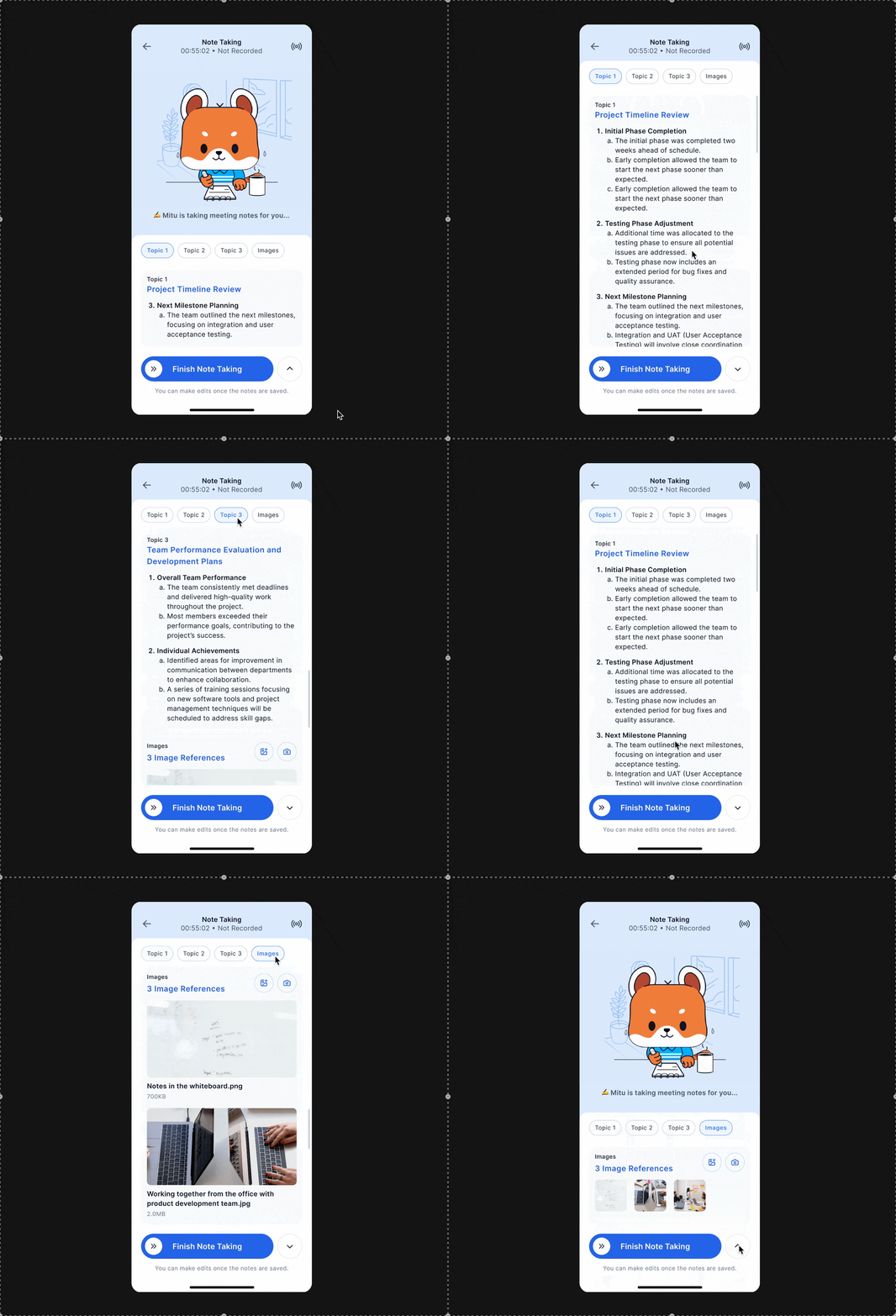
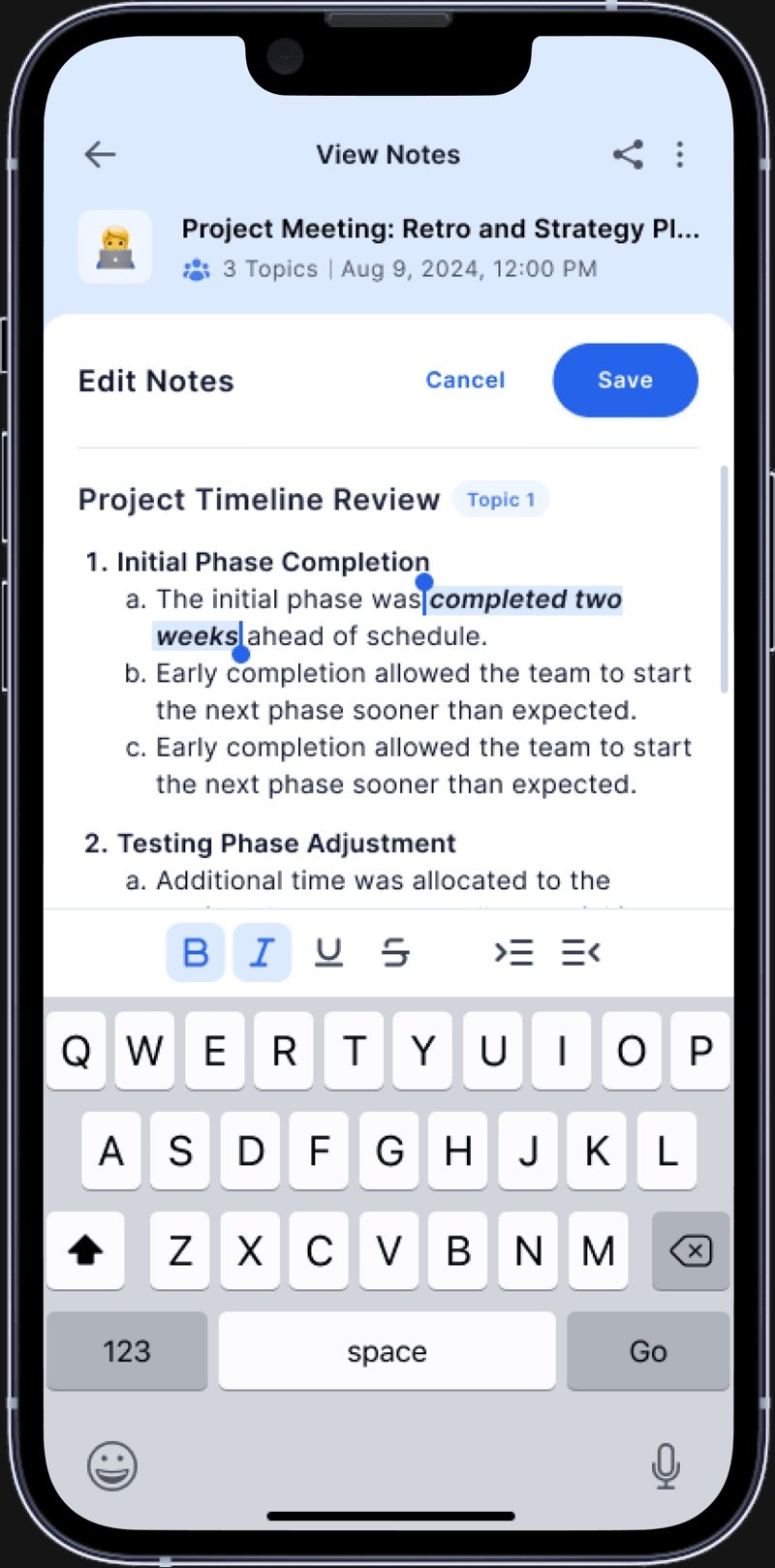
Instead of a messy note dump, we used a simple 3-part format: Topic, Key Points and Details. This follows how people naturally speak clear and structured, so users can scan or edit notes easily without feeling overwhelmed.
- 02
Flexible Reading Experience
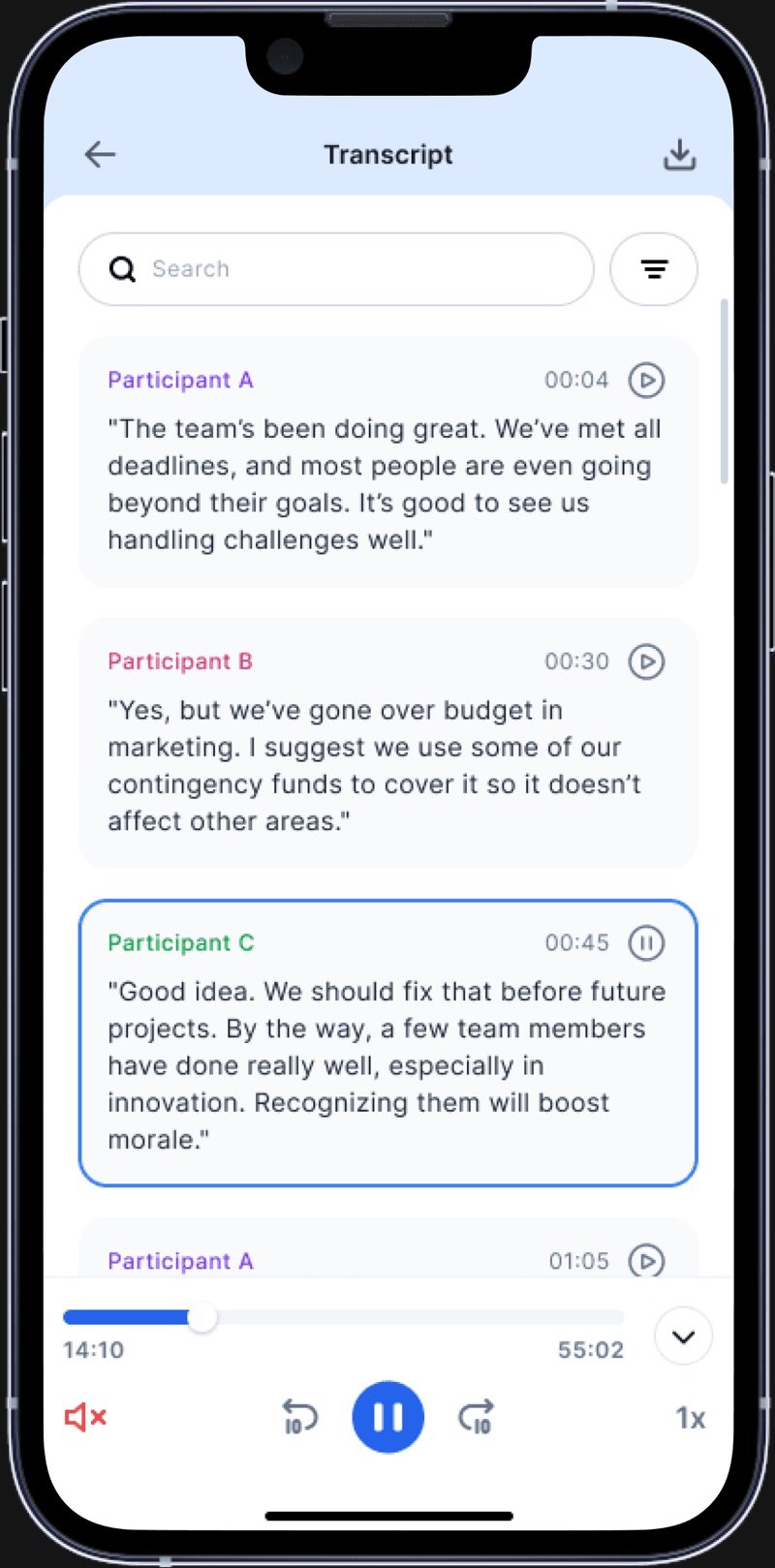
While note-taking is active, notes appear in collapsed mode by default, showing only the latest entry so users can stay focused on Mitu and its state. If needed, they can expand the panel to fullscreen to read all notes, and use tabs to quickly navigate to specific topics.
- 03
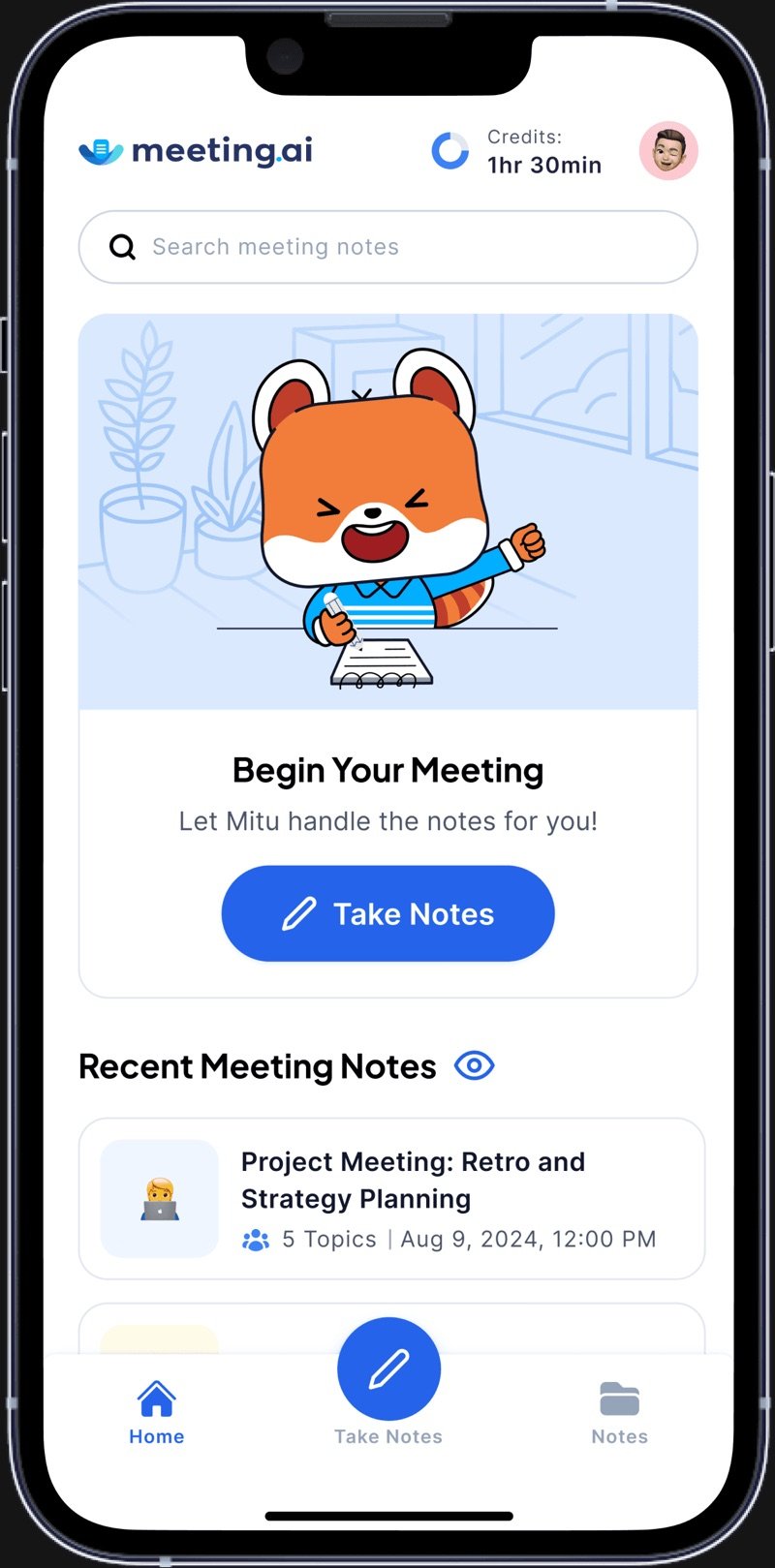
Friendly UI and AI Character
We used more space, rounded shapes, and soft colors to make the app feel friendly. We also introduced Mitu, a helpful AI companion that interacts with users. I helped direct which poses and emotional states Mitu should express, so the animator could bring them to life accordingly.
- 04
Scalable Notes for Any Group
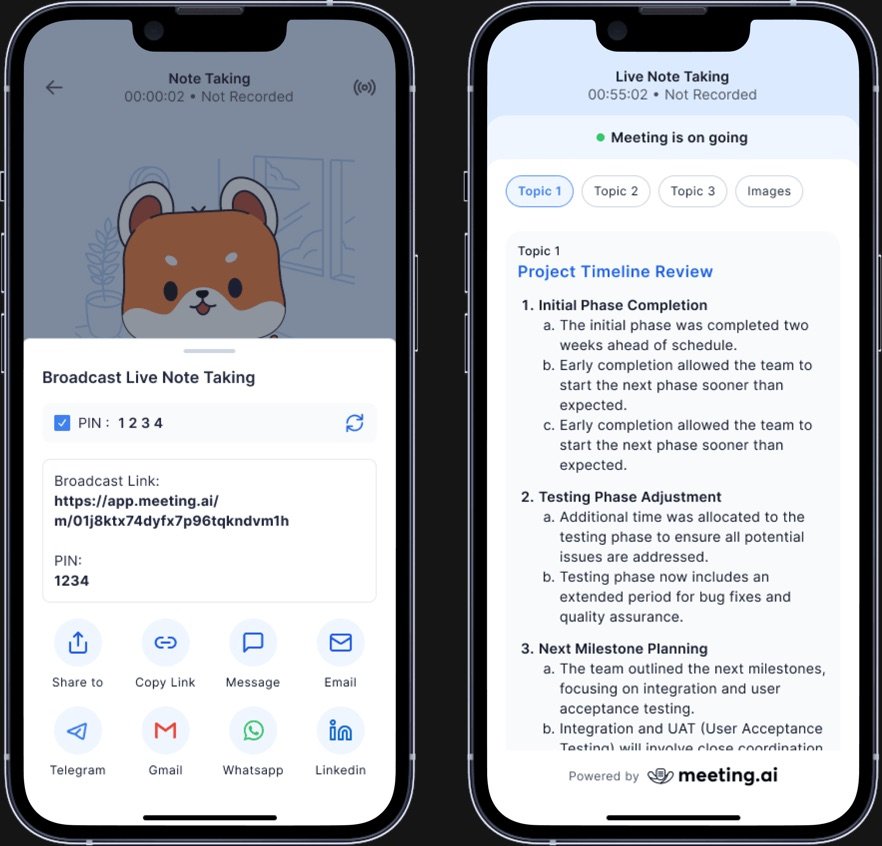
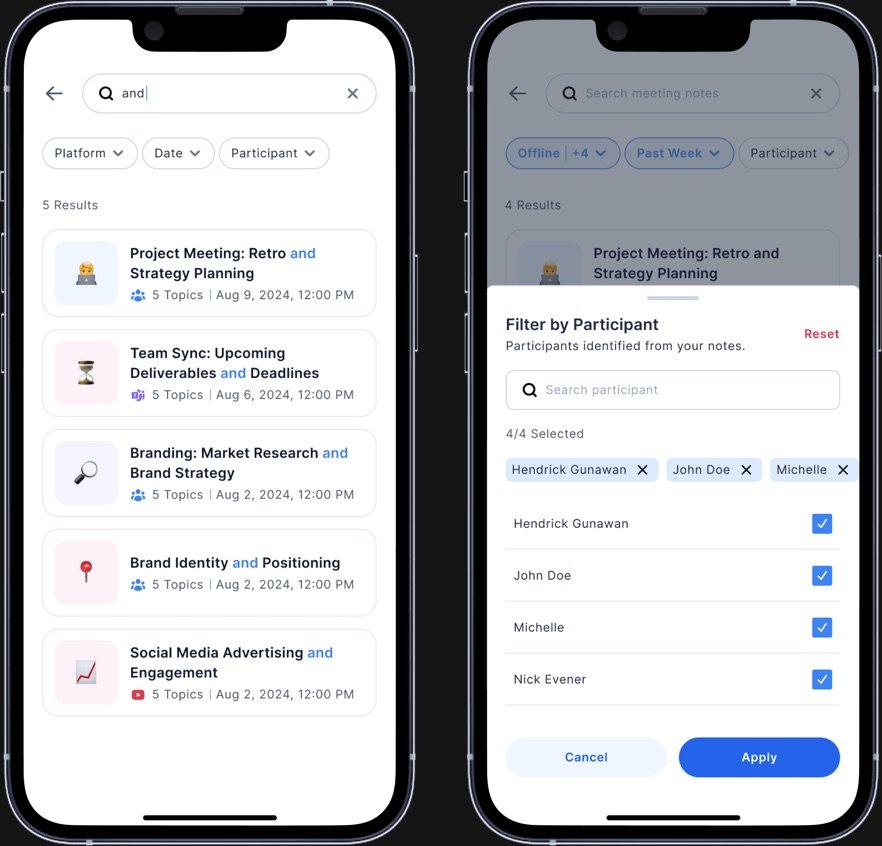
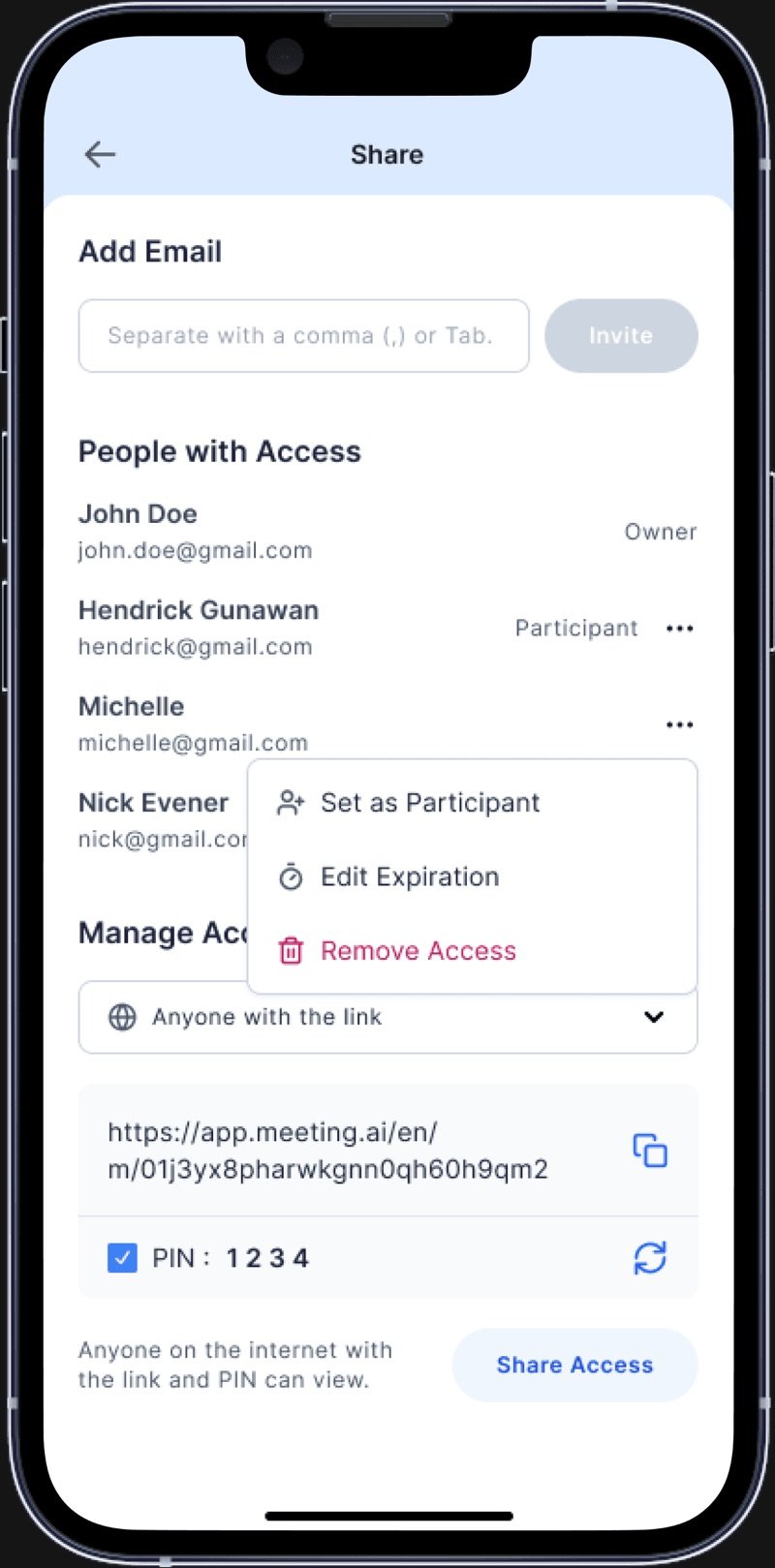
We support both small and large group meetings. During offline events, notes are taken live and displayed to everyone in the room. After the session, notes are saved to the Library, where users can review or share them via link or email, making it easy to access and distribute the notes beyond the event.
- 05
Privacy-First Design
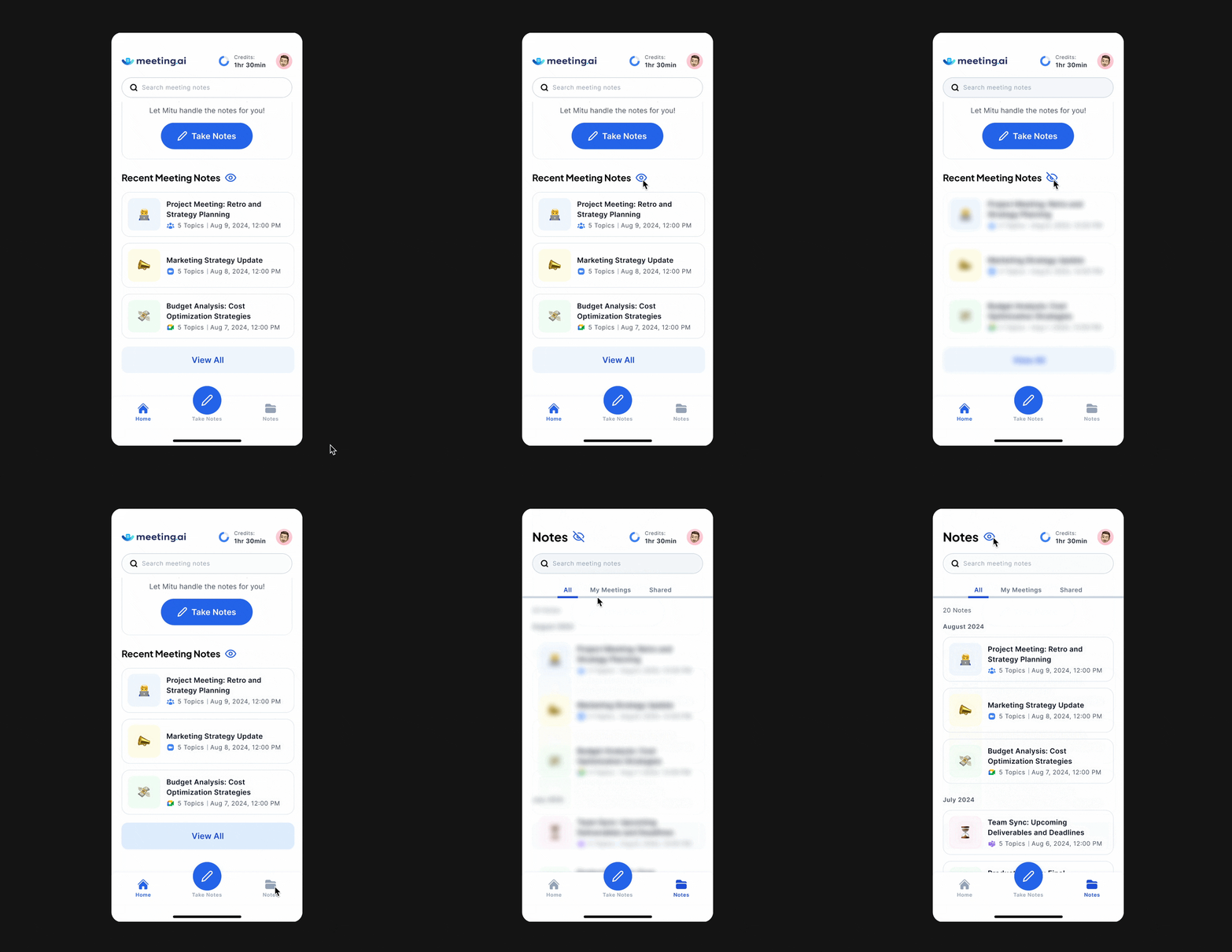
Users can blur notes in the Library to keep them private in public settings. We also added link-sharing protections and focused on giving users a secure, comfortable experience throughout.

Outcome Highlights
-
5.0 Rating
The app was launched successfully on the App Store, earning a perfect 5.0 out of 5 rating and positive feedback from users.
-
5× Faster
Users saved time and effort by relying on real-time AI to capture, organize, and summarize notes automatically.
-
Offline Adoption
Significant increase in note-taking during in-person/offline settings like workshops, lectures, and team huddles.
Collaborator
- Product Owner (Hokiman)
- Engineering Team